Object and Array methods to learn before JavaScript frameworks


In this series, we will aim to cover the following topics:
- Important ES6 Features
- Objects and Array methods (this article)
- Asynchronous JavaScript and Fetch API
- NPM and import/export modules in JavaScript
In the last article of this series “Things to learn before learning a JavaScript Framework”, we learned about the Important ES6 Features that are frequently used in any JavaScript Framework. Now, in this article, We will cover the second part of the series, that is, Objects and Array methods.
Here, we will talk about the different types of methods that can be applied to Objects and Arrays in JavaScript.
Let’s first talk about Object and Object methods:
Object
An Object can be defined as an unordered collection of data stored in the form of “key: value” pairs. We can access the properties and methods of an Object in the following ways:
Object Methods
Object Methods are actions that can be performed on JavaScript Objects. We can access an Object's static method using the following syntax:
Object.methodName(someObject);
There are many different types of Object methods in JavaScript, In this article, we will talk about some of the most useful Object methods which are available in the language to ease our life.
Let’s start with Object.assign():
Object.assign()
This method can be used to copy one object to the other.
It can also be used to merge more than one objects to form a new object.
In the last article, we discussed the spread operator which can also be used to merge objects. Let’s see how that is achieved:
Since we are getting the same result using the two approaches, so we can use any of these methods to merge objects. But as the Object.assign() method mutates the first object so for this reason, I prefer to use the second approach because it never mutates any passed object.
Object.create()
The Object.create() method creates a new object, using an existing object as the prototype of the newly created object.
Let’s consider the person object to understand this:
So, the object newPerson has only one property that is, firstName but since it is declared using the Object.create() method, so, it has access to all the other properties and methods through the prototype.
Object.entries(), Object.keys() and Object.values()
These three methods are quite similar to each other so let’s discuss them together.
The Object.entries() method creates an array of arrays of the key/value pairs of an Object that is passed into this method.
The Object.keys() method is used to create an array of all the keys of an Object while the Object.values() method creates an array of all the values of the object.
Let’s see their working on the person object:
Note:
- “These methods return all the object instance’s properties and not any property that can be inherited from its prototype.” Let’s understand that by applying this method on the newPerson object:
So, we see that it only prints the object instance’s properties and not the other ones that were inherited from the prototype.
2. These methods can also be used to iterate over the keys and values of an Object.
All the methods that we have discussed till now are Object’s static methods. There is another type of Object methods which are called the Object's instance method. Let’s discuss one method of that type as well:
hasOwnProperty()
This method returns a boolean indicating whether the object has the specified property or not.
Let’s consider the person object to understand this:
Note: This method can only be used to check for those properties that the Object owns and not the ones that it inherits.
Array
An Array is used to store a list of elements in a single variable. Let’s discuss the basic operations that can be applied to arrays in JavaScript:
Array Methods
Array Methods are actions that can be applied to arrays. JavaScript provides us with a lot of methods to make our life easier while dealing with arrays. Here, we will try to focus on some of the most useful array methods.
Let’s start with the isArray method:
Array.isArray()
This method is a static array method. It is used to determine whether the passed value is an Array. Let’s see a few examples to understand this:
map()
This method returns a new array by executing the provided function on each element of the array. Let’s first see the syntax of this method:
So, We observed that we have to pass a function to this method which contains the code that executes for each element of the array. Here, We will use arrow functions which were covered in the last article.
Now, let’s understand how this method works:
So, we observed that the value of each element of the numbers array is incremented by 1 and the result is stored in the new array incNumbers.
filter()
This method returns a new array containing only those elements that pass the condition specified in the function. The syntax of this method is similar to the map method.
Let’s say we have to filter the numbers that are greater than 3:
So, we see that the array named filtered contains all the elements of numbers that are greater than 3.
reduce()
As the name suggests, the reduce method is used to reduce the array into a single value. It executes a function for each element of the array and stores the return value in the accumulator.
This function takes two parameters the first one is known as the reducer function and the second one is the initialValue of the accumulator.
Let’s understand that with a simple example:
In the above example, when we passed a single argument to the reduce method then it took the first element of the array as the initialValue and started looping from the second element, but when we passed the initialValue the looping started from the very first element.
Now, let’s see a more realistic example of the reduce method that you will often come across while learning React and Redux:
Note: The reduce() method can be used to implement map() and filter() methods.
includes()
This method is used to determine whether an array contains the specified element or not. It returns a boolean depending upon the result.
Let’s see how that works on the numbers array:
Note: The includes() method is case-sensitive.
join()
The join() method returns a new string by concatenating all the elements of the array. The array elements in the string are separated by commas or a specified separator string.
Let’s understand what that means:
sort()
As the name suggests, the sort method is used to sort the elements of the array. It sorts the elements by converting them into strings and then comparing their values. The default sorting order is ascending.
So, we noticed that the array values are compared by converting them into strings. Another thing to be noticed is that the original arrays are mutated(changed).
We can also pass a compareFunction to the sort method:
Let’s see a really easy example to understand these methods:
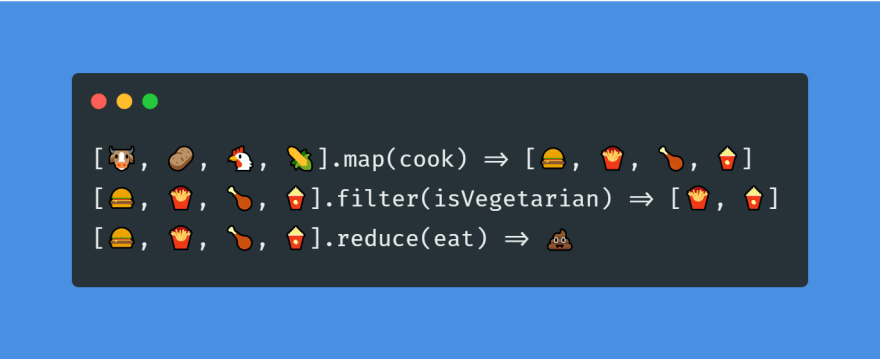
That brings us to the end of this article, where we learned about the different Object and Array methods. If you want to learn more about JavaScript objects you can read “Understanding Objects in JavaScript” and if you would like to familiarize yourself with the array methods, you can take a look at “The Array Iterators Cheatsheet for JavaScript.”
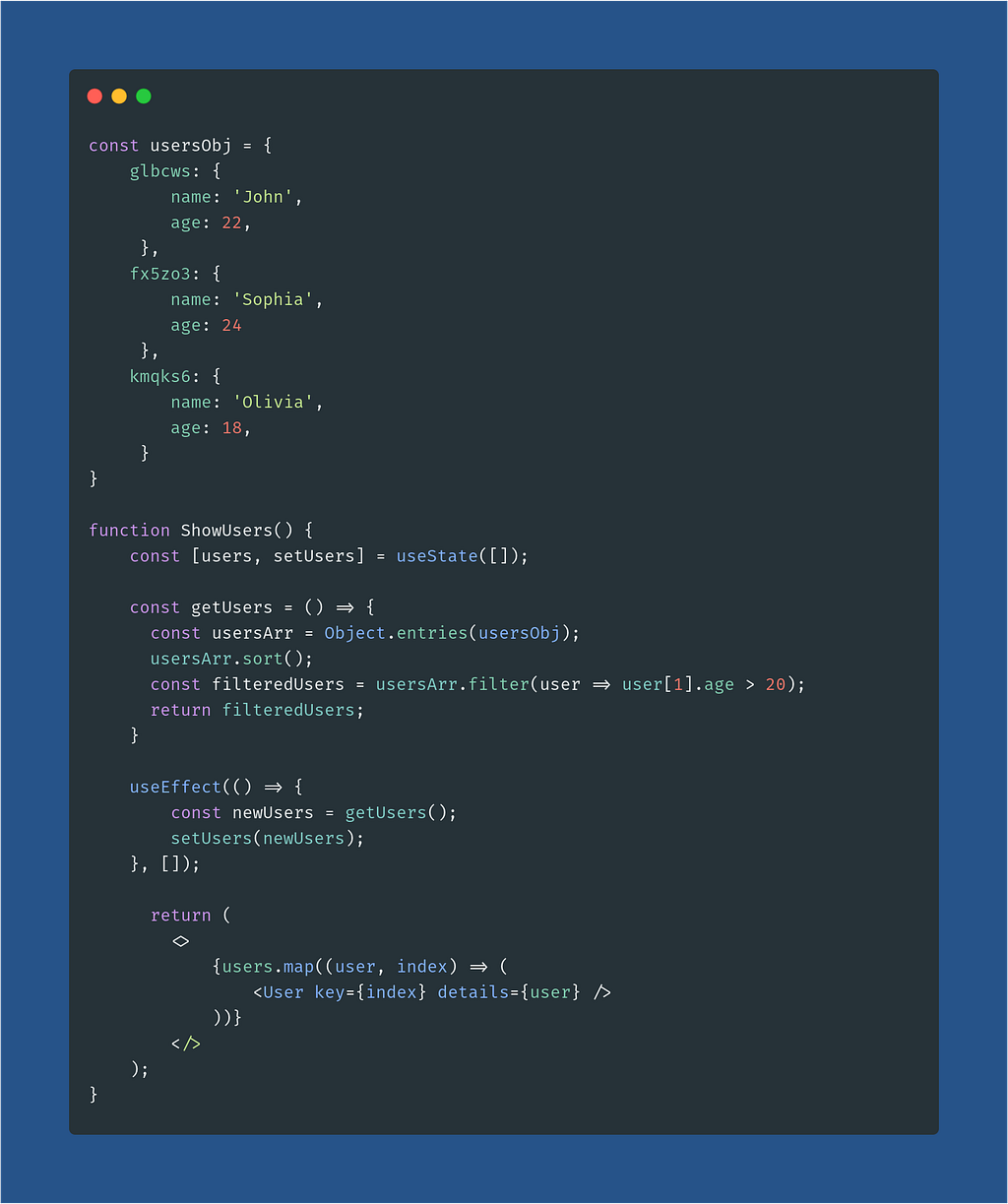
We will discuss the rest of the topics in the upcoming articles. To end this, I will leave you guys with a simple React Component that uses these methods:
Also, check out the other parts of the series(if you haven’t):
- Things to learn before learning a JavaScript framework
- Asynchronous JavaScript to learn before JavaScript Frameworks
- How to use NPM (and import/export modules) in JavaScript
In case you want to connect with me, follow the links below:
Object and Array methods to learn before JavaScript frameworks was originally published in JavaScript in Plain English on Medium, where people are continuing the conversation by highlighting and responding to this story.